
One client —
all your servers.
Wrabbit connects to your own configs and subscriptions: vless, trojan, shadowsocks. Flexible routing, automatic server selection, nothing extra.
Wrabbit is a client, not a VPN service: we don't provide servers or sell VPN subscriptions. You connect your own configurations.
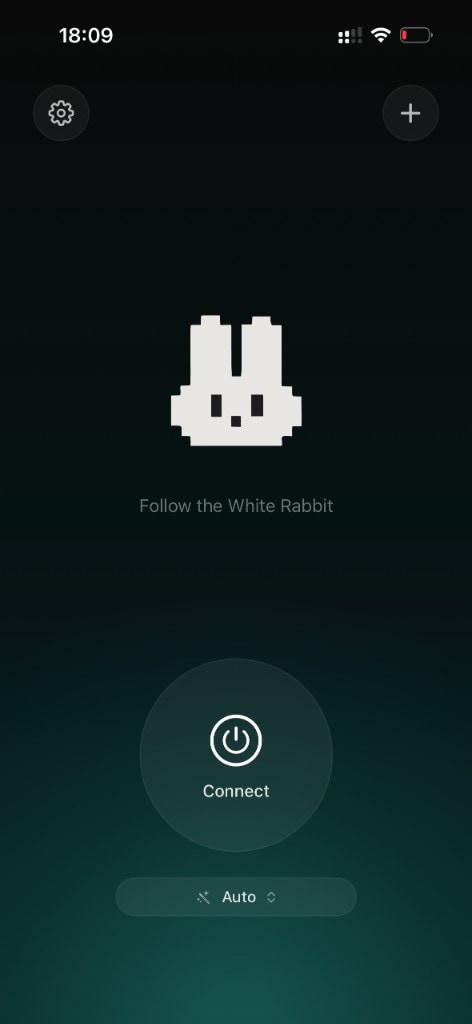
Three things that make the client great.
Your configs
Add vless://, trojan://, ss:// or a subscription link. The server stays yours, keys stay on your device.
Protocols & auto mode
Trojan and Shadowsocks over TCP/TLS, WebSocket and gRPC. Auto mode picks the best route for your network.
Stable connection
Server ping, instant switching and automatic recovery after a drop.
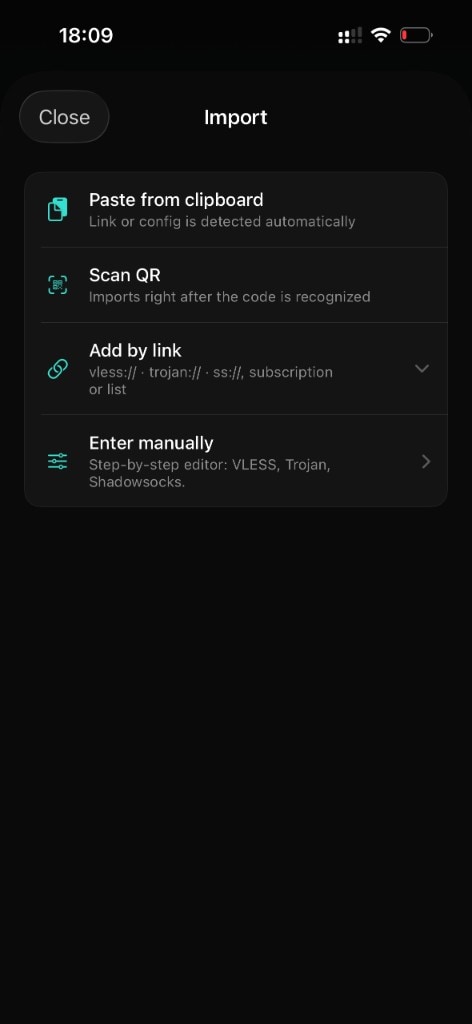
Add a server in seconds
Paste a link from the clipboard, scan a QR code or add a subscription — vless://, trojan:// and ss:// are detected automatically.
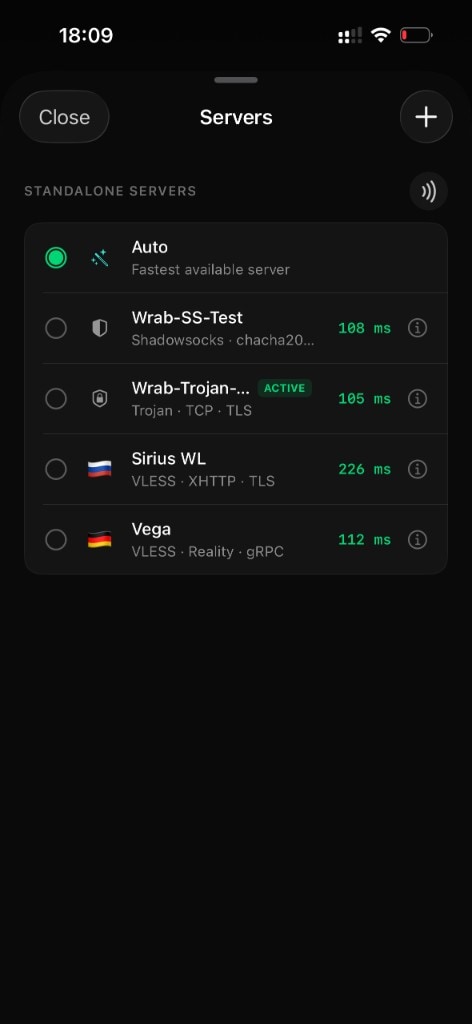
Servers & auto mode
A list with ping to every server. Auto mode picks the fastest one, and the active server is marked with a badge.
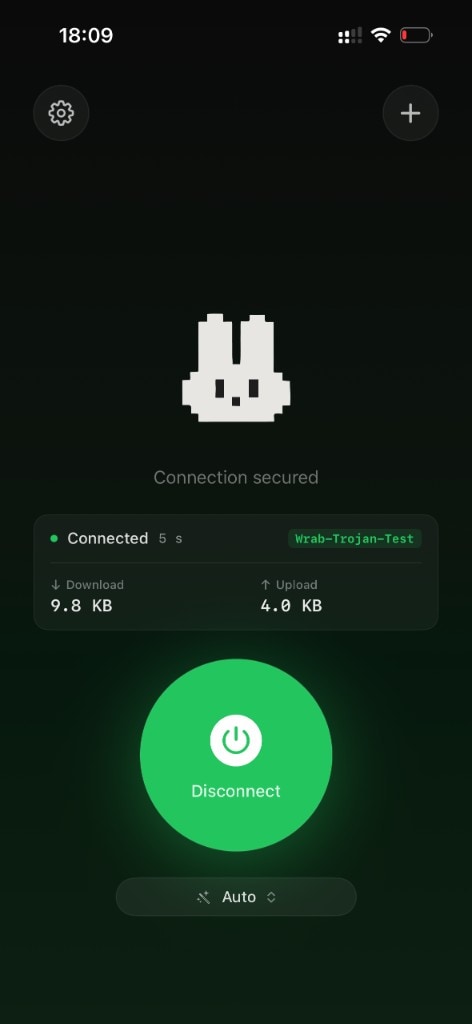
Connect in one tap
A clean status screen with live download and upload. Turn it on — and it just works, nothing extra.
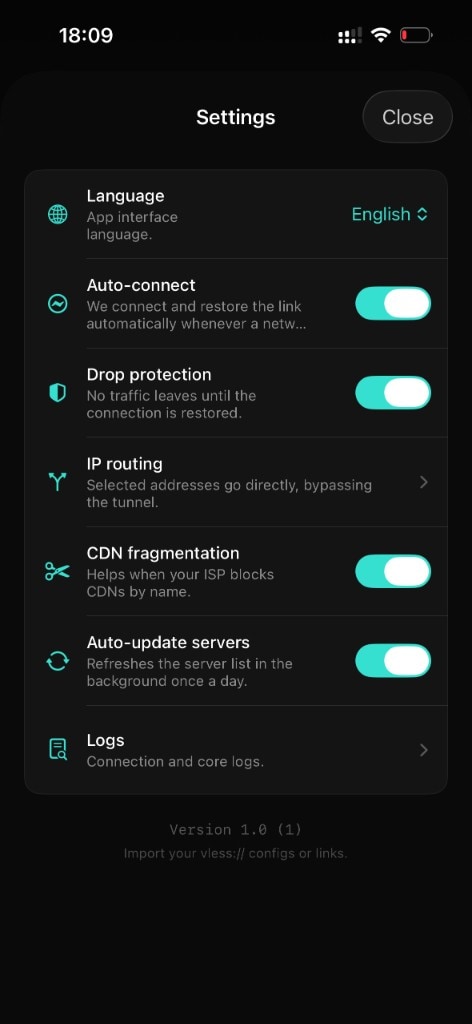
Flexible by design
Routing, language, CDN fragmentation, auto-update and logs — everything within reach on a single screen.
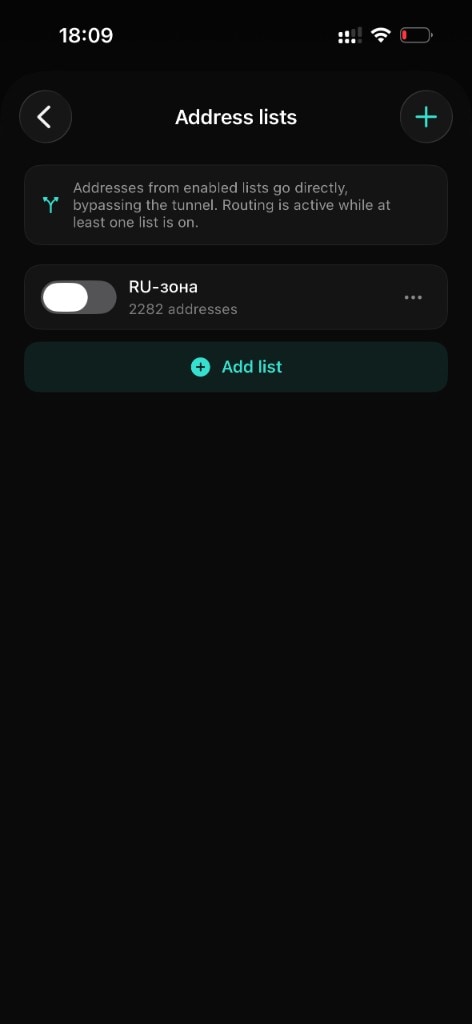
Flexible routing by lists
Selected addresses go directly, bypassing the tunnel — the services you need keep working as usual. Lists are fully editable: turn on, extend, turn off.
- A ready-made address set out of the box
- Your own lists — by text or by link
- Routing turns on with a single switch
A modern core
Built on a proven core with support for popular protocols and transports — all wired into one system.
Get Wrabbit on your devices
Add your config and connect in one tap. Wrabbit Proxy is on the App Store for iPhone and Mac.
iPhone · iOS 16 and later · macOS 13 and later
The essentials
Is Wrabbit a VPN service?
No. Wrabbit is a proxy client: it has no servers of its own and provides no network access. You add the configs of the servers you use yourself.
Do I need an account?
No sign-up needed. Add your own config or a subscription link and connect.
Where do I get a config?
Paste a vless://, trojan://, ss:// link from the clipboard, scan a QR code, or add a subscription link — the client detects the format automatically.
Which protocols are supported?
Trojan and Shadowsocks over TCP/TLS, WebSocket and gRPC, plus VLESS/Reality. Powered by the proven Xray core.
What is routing by lists?
You choose which addresses go directly, bypassing the tunnel — the services you need keep working as usual. Lists are editable; add your own by text or by link.
Do you collect data?
No. There's no analytics or traffic logs. Configs and keys stay only on your device and are never sent to third-party servers.
It won't connect — what should I do?
Check that your config or subscription is up to date, try auto mode or another server, and open the logs in settings — they show the reason.
Is it legal?
Wrabbit is a client tool: it has no servers of its own and sends no data. Use the app in accordance with the laws of your jurisdiction.
I run my own service or panel — can I use Wrabbit?
Yes. The client is compatible with panel subscriptions and headers (e.g. Remnawave). Reach us via the support page.